Deutsch · English
Aristodoc › Make scans searchable
Make scans and photos searchable
To Windows, a scanned letter is just a picture: search in File Explorer does not find a single word in it. Aristodoc reads the text with text recognition (OCR) and then finds every page.
Search without changing your files
- Aristodoc reads scanned PDFs without a text layer, PDFs with some scanned pages, and photos of documents (JPG, PNG, TIFF, BMP).
- The recognized text goes into Aristodoc’s search index. The file itself stays unchanged.
- Holiday photos are left out: a picture only counts as a document if text recognition finds enough text in it.
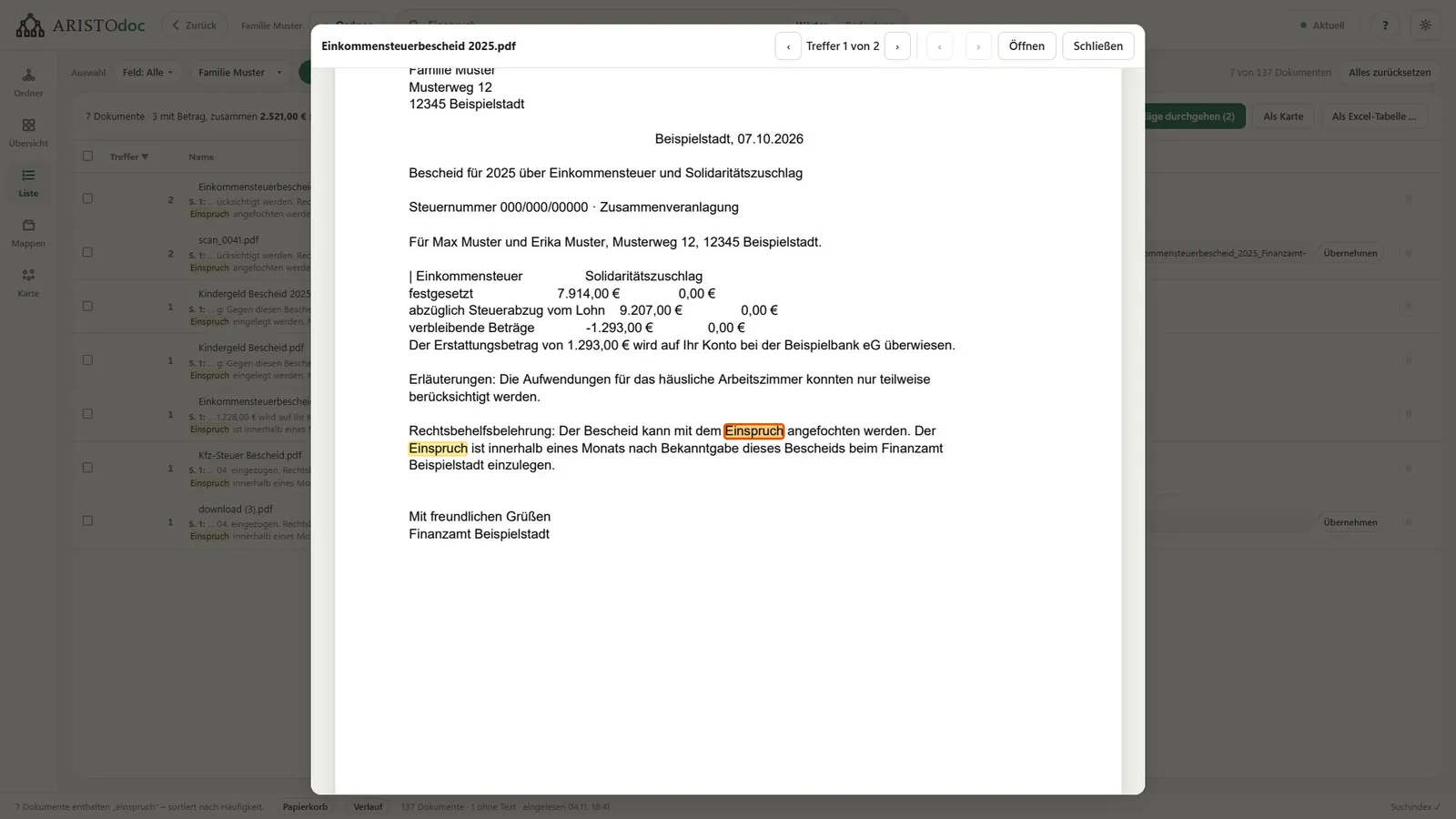
- A double click on a result opens the document with the matches highlighted, in scans too.
Save as a searchable PDF
If other programs should find the text as well, such as File Explorer or a PDF reader, “Make searchable” writes it invisibly behind the page image.
- The page image stays as it is. The file grows by only a few kilobytes.
- Aristodoc saves as PDF/A-2b for long-term filing, or as a normal PDF.
- The original stays next to the new file or goes to Aristodoc’s recycle bin. The step can be undone.
- Pages that are upside down or sideways are rotated. Crooked pages are straightened.
- Pages that already contain text stay unchanged.
- Grayscale scans that contain only black and white are saved smaller, without loss.
- On request, the text is also saved as a .txt file.
Phone photos of letters
- Aristodoc straightens photos of letters and saves them as searchable PDFs.
- Pages photographed one by one are combined into a single document.
Which text recognition is used?
Aristodoc uses the text recognition built into Windows. It runs on your computer and needs no internet connection. No document leaves your PC for it. It recognizes every language installed in Windows (Settings › Time & language). A page takes about half a second, depending on the computer.
Limits
- Password-protected PDFs stay unchanged.
- Aristodoc does not convert e-invoices (XRechnung, ZUGFeRD/Factur-X): the XML they contain is the original.
- Aristodoc marks files as PDF/A-2b but does not check the result with a validator. For archives with a duty to provide proof, a spot check is advisable, for example with veraPDF.
For Windows 10 and 11 · free · no account needed