Deutsch · English
Aristodoc › Documents without the cloud
Manage documents without the cloud
Tax notices, medical letters, contracts and payslips are among the most personal files on a PC. Aristodoc searches and organizes them without a single one leaving your computer.
What “local” means here
- No account, no sign-in, no usage statistics.
- Text recognition (OCR) for scans is the one built into Windows. It works without the internet.
- The language model for search by meaning is installed with Aristodoc and runs on your PC. No document is sent to an AI service.
- The search index and the text that was read are stored in your Windows user folder and can be deleted at any time.
- The only connection to the outside is a mailbox you set up yourself (IMAP, read-only), and only to that mailbox.
Details are in the privacy policy.
Your files stay where they are
- Aristodoc works on your existing folders. There is no import and no archive format of its own: in File Explorer everything looks as before.
- There is no server and no database to set up. Installation comes from the Microsoft Store.
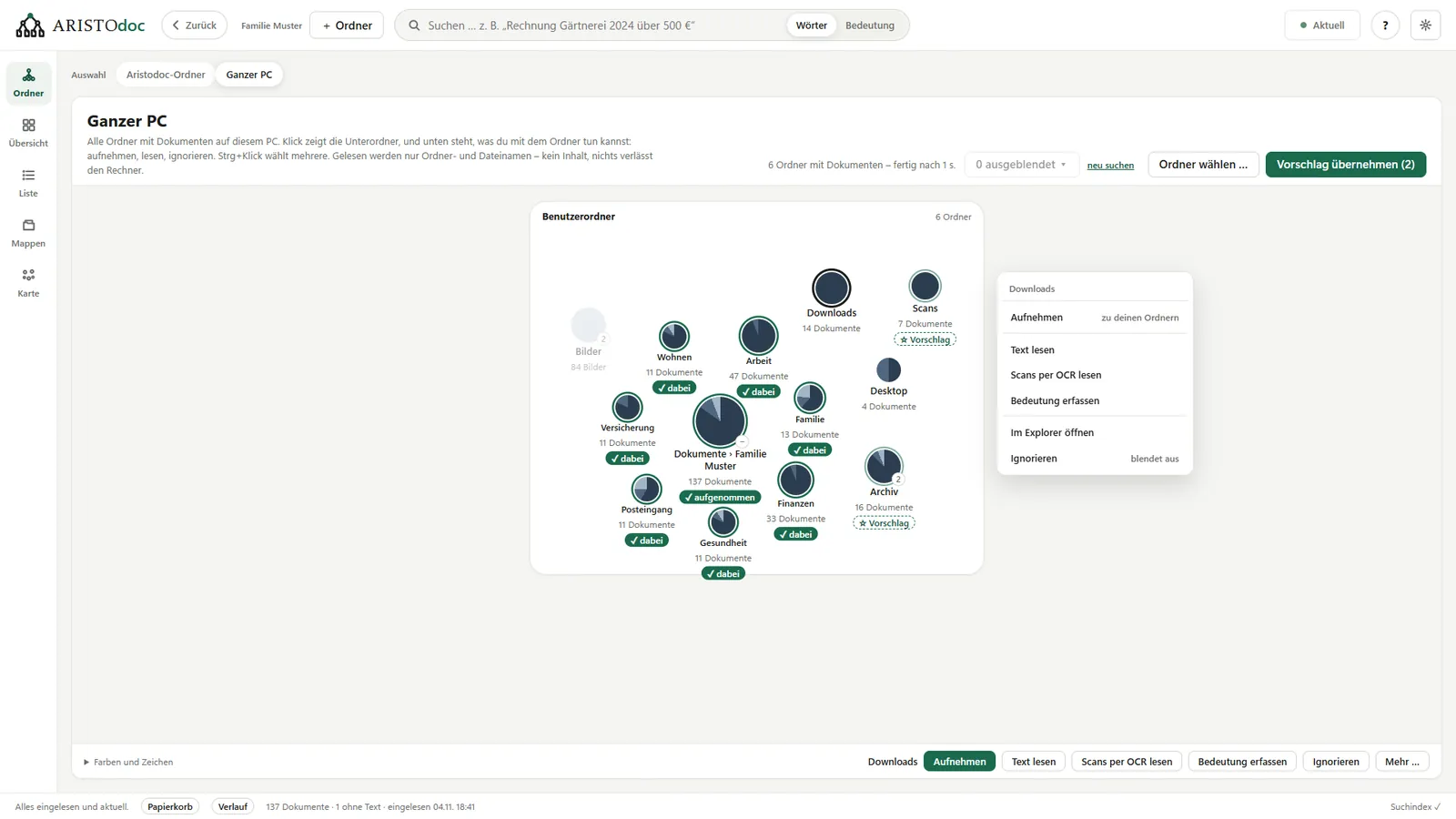
- On first start, Aristodoc shows where documents are on your PC, including USB sticks, network drives and folders that a cloud service such as OneDrive, Dropbox or Nextcloud syncs with your PC. For this it reads only folder and file names.
- Aristodoc reads contents only in the folders you choose.
- Nothing is moved or renamed on its own. Deleted files go to a separate recycle bin first, and renaming and moving can be undone.
What Aristodoc does with them
- Full-text search across every page, including scans and phone photos.
- Search by meaning: “money from the state for children” leads to the child benefit notice.
- Deadlines, amounts and senders from your letters.
- A map that places similar documents next to each other, and a timeline.
- Suggestions for file names and the right folder, and hints about duplicate files.
Which files does Aristodoc read?
- PDF, including scans
- Word (.docx), OpenDocument (.odt), Excel (.xlsx, .xls), text files
- Photos of documents (JPG, PNG, TIFF, BMP)
- E-invoices (XRechnung, ZUGFeRD/Factur-X)
- Email with attachments: .eml, Outlook (.msg, .pst), Thunderbird (mbox)
What Aristodoc is not meant for
- Aristodoc runs on one Windows PC for one user. There is no access over the internet or from a phone.
- It is a tool for finding and organizing, not a tamper-proof archive: it does not protect files against changes.
For Windows 10 and 11 · free · no account needed